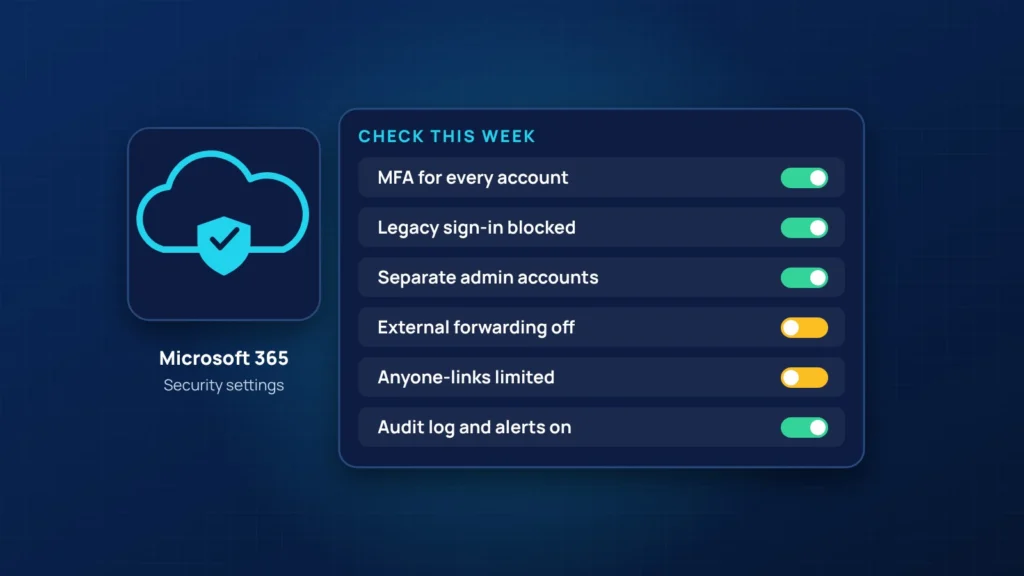
Microsoft 365 is the backbone of most small businesses: email, files, Teams and sign-in for everything else. Out of the box, though, several important protections are off or set loosely. Here is what we check first on every tenant we take over.
1. MFA for every account, with no exceptions
Every user, including the owner and any shared or old accounts that can still sign in, should need a second factor. Use the Microsoft Authenticator app with number matching rather than text messages where you can.
2. Block legacy sign-in
Older email protocols such as POP, IMAP and basic SMTP authentication cannot do MFA, so attackers use them to try stolen passwords. Turn them off for everyone who does not truly need them.
3. Separate admin accounts
Global administrator rights should live on a separate account that is not used for daily email. Keep the number of global admins to two or three, and protect them with the strongest MFA you have.
4. Stop automatic forwarding to outside addresses
A favorite trick after an account is taken over is a hidden rule that forwards all mail to the attacker. Block external auto-forwarding and review existing inbox rules.
5. Review sharing in OneDrive and SharePoint
Links that anyone can open without signing in are convenient and risky. Limit them to people in your organization or specific guests, and set links to expire.
6. Turn on audit logging and alerts
If something goes wrong, the audit log is how you find out what happened. Make sure it is on, and that alerts for suspicious sign-ins and new forwarding rules go to someone who reads them.
7. Protect your domain’s email
Publish SPF, DKIM and DMARC so criminals cannot easily send mail as your company. Our SPF, DKIM and DMARC guide explains each one.
Not sure how your tenant is configured? Ask us for a Microsoft 365 security review. We go through every setting above and fix what needs fixing.