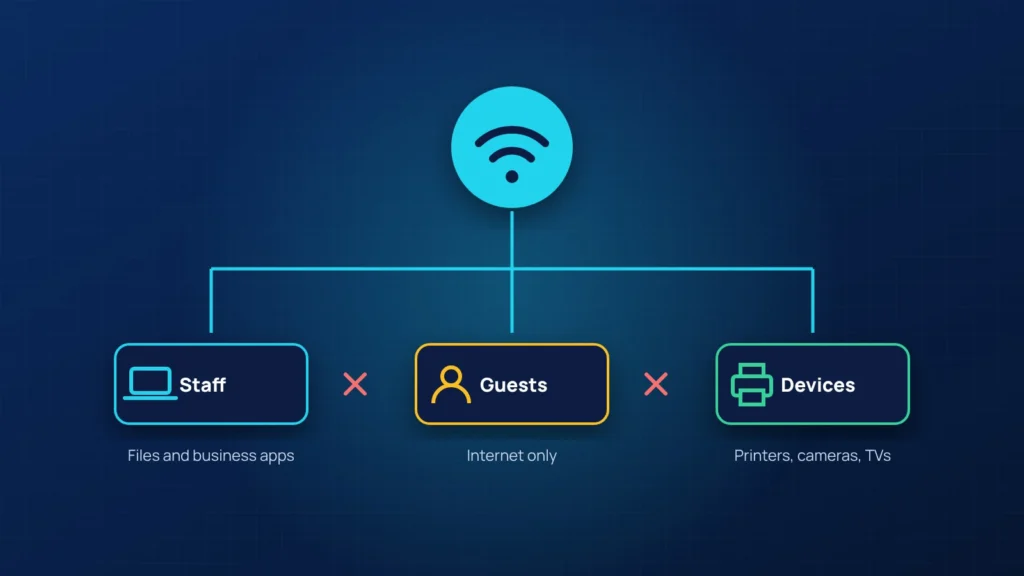
Most small offices run one Wi-Fi network for everything: staff laptops, the visitor in the lobby, the printer, the smart TV and the camera system. It works, until one of those devices is compromised. On a flat network, anything connected can see and try to reach everything else.
Three networks, not one
- Staff: company laptops and phones that you manage. This is the only network that reaches your file shares and business applications.
- Guests: internet only. Guests cannot see each other or any office device. Change the password regularly, or use a captive page that shows your terms.
- Devices: printers, cameras, TVs, door controllers and other gadgets. They get only the access they need, and nothing on this network can start a connection to staff computers.
On business-grade equipment this is done with VLANs and firewall rules between them. On most consumer routers, the guest network is the closest you can get, and that alone is a big improvement.
Quick wins you can do today
- Change the Wi-Fi password if former employees still know it.
- Use WPA3, or WPA2 with AES if older devices cannot handle WPA3.
- Change the default admin password on the router and turn off remote management from the internet.
- Update the router or firewall firmware. Old firmware is one of the most common ways in.
- Turn off WPS, the push-button pairing feature.
When it is time to upgrade
If your Wi-Fi drops in some rooms, you rely on a router from your internet provider, or you cannot tell who is connected right now, it is time for proper access points and a firewall you control. The cost is modest compared with a single day of downtime.
Want to know how your network is set up? Book a free IT review. We will map what is connected and show you how to separate it.


